
Skip to content
Img PilotImg Pilot
ABOUT IMG PILOT

Making Image Optimization Simple for Everyone

Img Pilot helps businesses, marketers, designers, developers and everyday users optimize images directly from the browser. Our goal is to make image conversion, compression, resizing and optimization simple, secure and accessible without requiring complicated software.

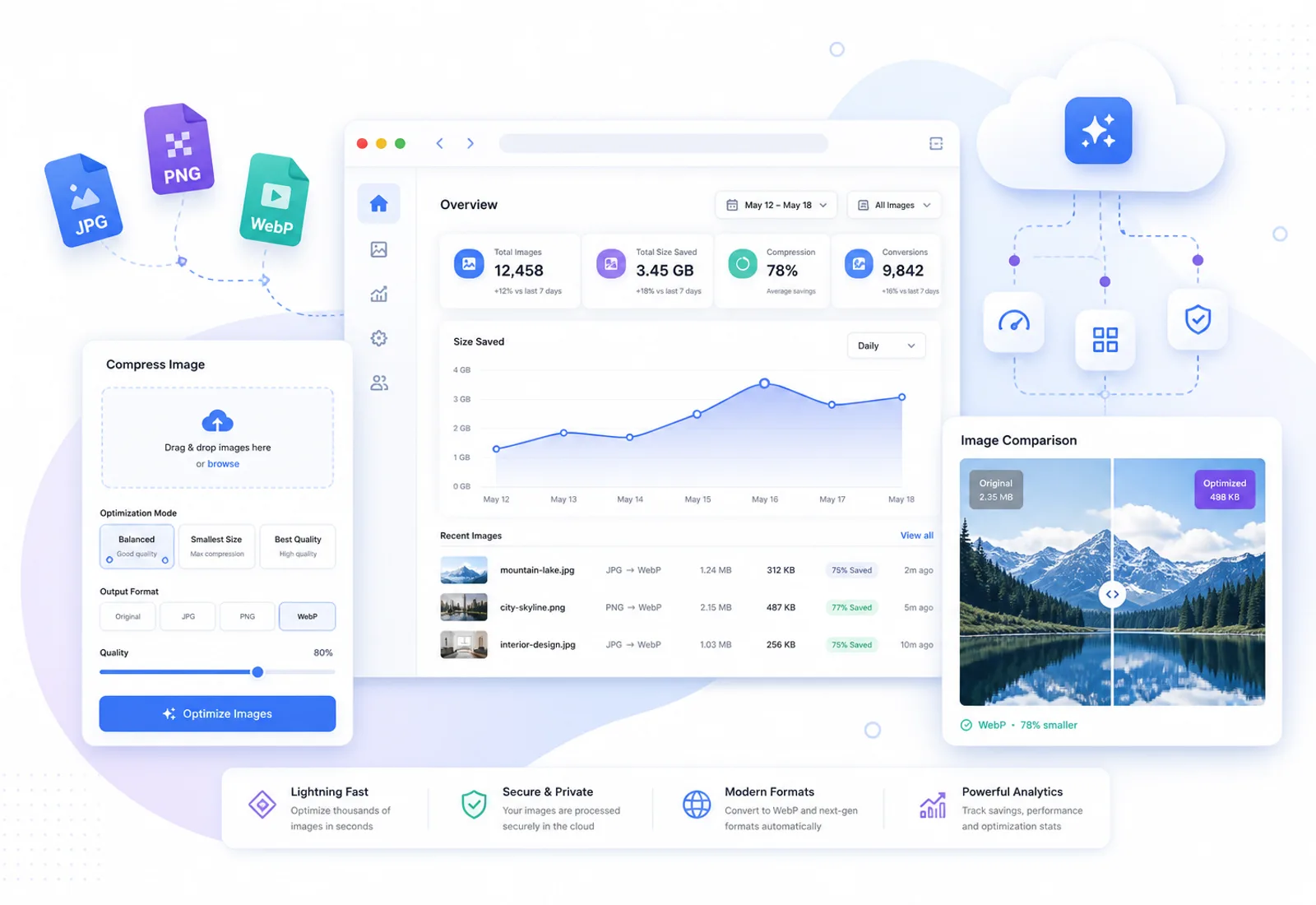
Illustration of browser image tools, dashboards and cloud processing for an online image optimization platform

Our Mission

Image work should not require installing heavy desktop suites for every small change. Our mission is to make conversion, compression, resizing and cropping simple enough that a marketer can finish a campaign asset, a developer can prepare performant delivery formats and a designer can tighten composition — all in the browser.

We focus on time. Uploading a file, choosing a clear control and downloading a result should take minutes, not a scavenger hunt through export menus. Faster image workflows mean landing pages ship sooner, catalogs stay consistent and creators spend energy on the message instead of the toolchain.

Website performance sits at the center of that promise. Correct formats, honest dimensions and leaner files help pages feel quicker on real networks. When businesses publish clearer media, visitors notice. When developers standardize on modern containers, stacks stay easier to maintain.

Img Pilot exists for that mix of creators, teams and builders who need dependable guest tools today and deeper project workflows when they are ready to sign in — without turning image optimization into a specialist chore.

Built Around Real Workflows

Traditional image software is powerful, but it is often slow for everyday web tasks. Opening a full editor to convert a PNG, compress a hero or crop a story frame breaks flow. Browser-based tools remove that friction: open a page, drop a file and keep working.

Modern delivery also changed what “good enough” means. JPG and PNG still matter, while WebP and other formats reshape how teams balance quality and weight. Img Pilot grows a library around those practical jobs — convert, compress, resize, crop and bulk passes — so people can stay in one place instead of hopping between single-purpose utilities.

Privacy shapes the product as much as performance. Guest uploads are meant for temporary work: private storage, clear retention and no public gallery of other people’s files. That approach lets someone try a tool quickly without treating every upload like a permanent archive.

As the library expands, the goal stays steady: honest controls that map to real engines, clear limits and pages that explain when to convert versus compress versus resize. We would rather under-claim than invent milestones. The product improves by covering real formats and workflows people already need, not by stacking empty badges.

WHY IMG PILOT

Built for Browser-First Image Work

  • Fast Processing

    Move from upload to download quickly so campaign and website work stay in flow.

  • Browser Based

    Run conversion, compression, resize and crop tools without installing desktop suites.

  • Secure Processing

    Guest files use temporary private storage with controlled access patterns.

  • Modern Formats

    Work with the formats teams publish today, starting with JPG, PNG and WebP.

  • Batch Tools

    Bulk compress, resize and convert when a single file is not enough.

  • No Installation

    Share a link with collaborators instead of standardizing local software versions.

  • Responsive Design

    Use the same tools on large screens and smaller devices when you need a quick fix.

  • Privacy First

    Temporary guest retention and automatic cleanup keep short jobs from becoming permanent clutter.

OUR VALUES

What Guides Product Decisions

  • Simplicity

    Controls should map to real outcomes — convert, compress, resize, crop — without mystery toggles.

  • Privacy

    Guest work is temporary by design. We prefer clear deletion over silent retention.

  • Performance

    Image tools exist to help pages load better and media ship lighter.

  • Reliability

    Honest formats, predictable limits and pages that do not oversell unfinished capabilities.

WHAT MAKES US DIFFERENT

A Focused Image Optimization Platform

Img Pilot is not a generic file dump or a social gallery. It is a set of browser tools and account workflows built around publishing better images.

  • Tool clusters, not orphan pages

    Convert, compress, resize and crop hubs connect to format-specific guides so people can find the right job quickly.

  • Guest path and account path

    Try tools without signing up, then move into projects when you need longer-term workspace features.

  • Honest capability claims

    Supported ratios, formats and limits match what the product actually runs — including clear “coming later” labels.

  • Privacy-minded temporary storage

    Guest outputs are for finishing a task, not building a public archive of uploads.

SUPPORTED FORMATS

Formats We Optimize Today

Current guest and core tooling centers on the formats most websites still ship every day.

  • Available now

    JPG

    Photographic images for blogs, catalogs, ads and general web delivery.

  • Available now

    PNG

    Graphics and UI assets where crisp edges or transparency matter.

  • Available now

    WebP

    Modern web delivery when smaller files and flexible encoding help performance.

Future support

  • Coming later

    HEIC

    Planned for common phone-camera workflows as the tooling matures.

  • Coming later

    AVIF

    Planned for advanced delivery paths where AVIF fits the stack.

Privacy Comes First

Browser-based image tools only earn trust when uploads are treated carefully. Img Pilot is designed so quick optimization jobs do not become permanent copies of your files on a public shelf.

  • Guest processing is temporary — retention is shown in the tool UI
  • Automatic deletion removes expired guest originals and outputs
  • There is no public gallery of other users’ uploads
  • Uploads use private storage paths rather than open share links by default

Frequently Asked Questions

What is Img Pilot?

Img Pilot is a browser-based platform for converting, compressing, resizing and cropping images for websites, marketing and everyday publishing.

Who is Img Pilot for?

Businesses, marketers, designers, developers and individuals who need dependable image tools without installing heavy desktop software for every task.

Do I need an account to use the tools?

Guest tools work without an account, subject to guest limits. Creating an account unlocks projects and longer-term workspace features.

Which image formats do you support today?

Core workflows focus on JPG, PNG and WebP. HEIC and AVIF are listed as future support as the library expands.

Are uploads private?

Guest files use temporary private storage and are deleted according to the retention countdown shown in the tool. There is no public gallery of uploads.

Is Img Pilot only a compress tool?

No. The product includes convert, compress, resize and crop hubs, format-specific pages and bulk tools for multi-file jobs.

How is Img Pilot different from desktop editors?

Desktop editors are excellent for deep creative work. Img Pilot focuses on fast, browser-based optimization tasks people repeat while publishing to the web.

How can I contact the team?

Use the Contact page for support and business questions. We prefer clear written requests so we can respond with the right context.

Ready to optimize your images?

Explore browser-based tools for conversion, compression, resizing and cropping — or contact us if you need help choosing a workflow.